LeadSpidey
Our product, ready to use
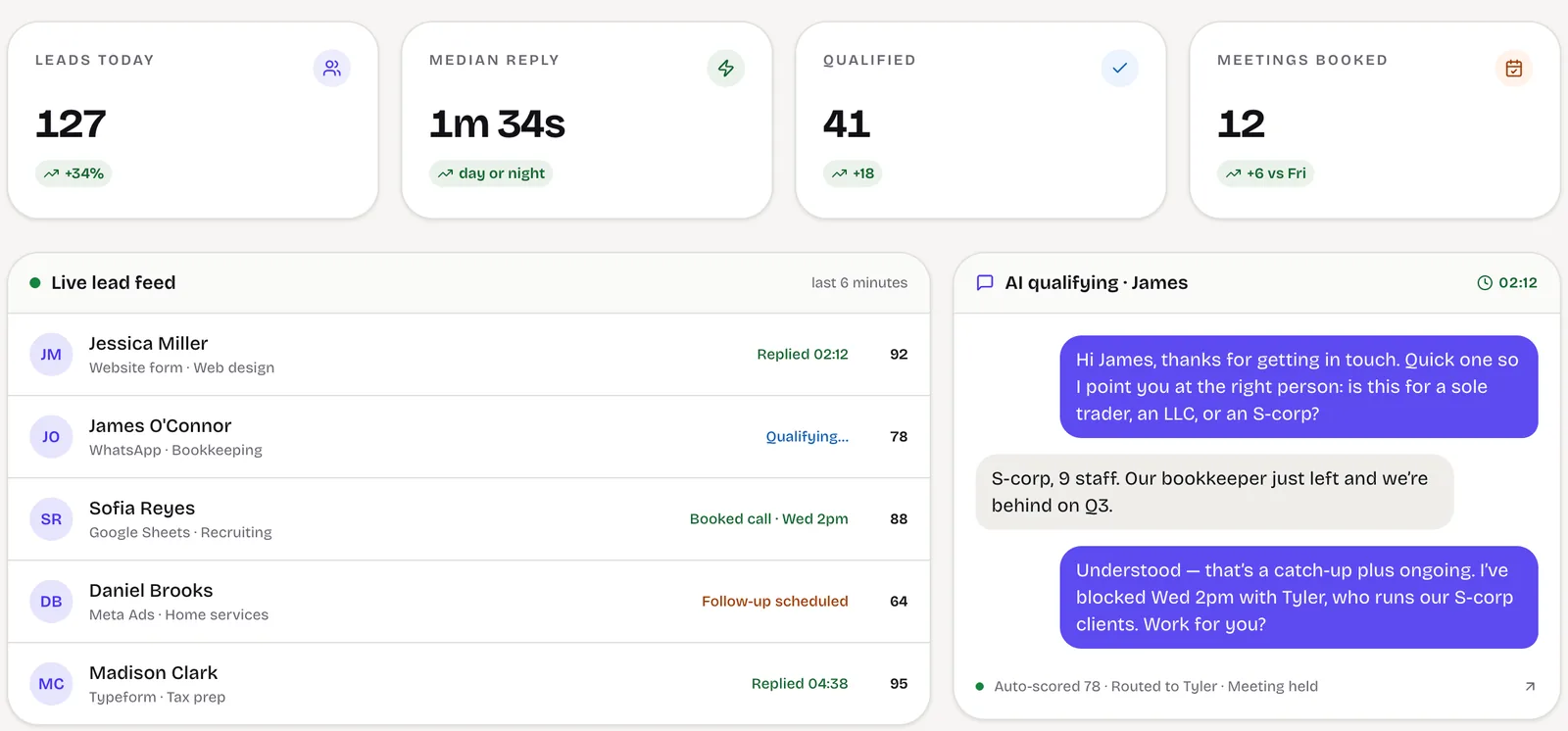
If you want inbound WhatsApp and email leads answered, qualified and booked in a standard flow, LeadSpidey, our AI SDR product, does that today and is quicker to start with.
Visit LeadSpideyWhatsApp lead automation
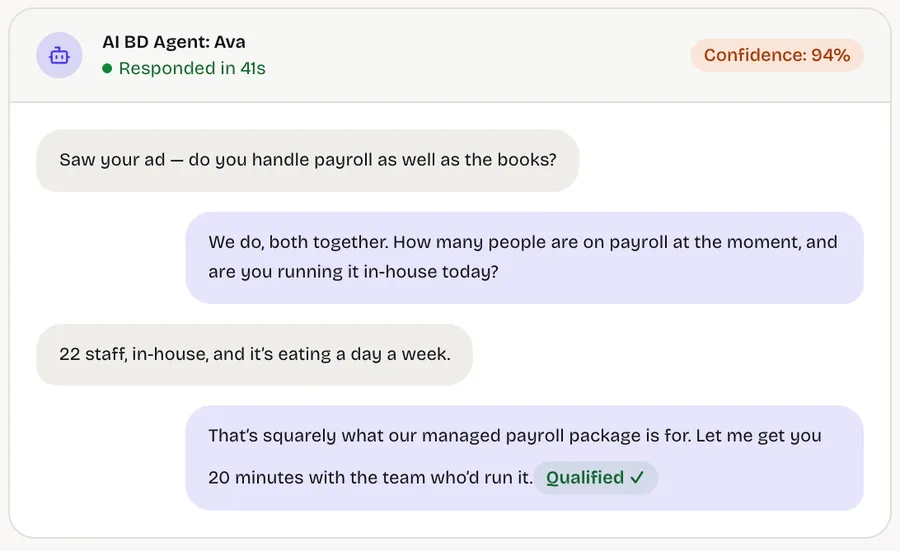
Your buyers message on WhatsApp; answer them like it matters. We build WhatsApp lead automation on the WhatsApp Business Platform: every enquiry answered quickly, asked your qualifying questions, written into your CRM and passed to a person when it is ready, with the whole conversation kept.
Fewer WhatsApp enquiries lost to slow replies, and a pipeline you can actually see.
Built and run in-house
Our AI SDR answers inbound leads on WhatsApp and email, qualifies them in conversation and books the meeting.
The business problem
In many markets, and in most consumer-facing service businesses, the first message a buyer sends is on WhatsApp. It is fast for them and informal, and it usually lands on a phone that belongs to one person on your team.
That is where pipeline disappears. Replies depend on who is free, conversations live outside the CRM, and when a salesperson leaves, their chats leave with them. Management sees revenue at the end of the month but not the enquiries that never got a second message.
Automating WhatsApp is not about sending more messages. It is about answering every enquiry properly, recording what was said and making sure a person picks up the right ones at the right moment.
A useful first reply in minutes, at any hour, before the buyer messages the next business on their list.
Moves: Enquiry-to-conversation rate
Every enquiry has an owner and a next step, so conversations stop dying in someone’s phone.
Moves: Leads followed up
WhatsApp leads, sources and outcomes in your CRM, so you can see what each campaign actually produced.
Moves: Forecast accuracy
What we build
A business number on the official API, message templates prepared for approval and shared access for your team, without anyone’s personal phone.
Each new chat answered in minutes with a reply that fits the enquiry, not a generic “thanks, we’ll be in touch”.
Your questions about need, timing, budget or destination asked naturally, one at a time, with answers stored as fields.
Qualified chats assigned by service, region or language of enquiry, with a clean handover to a person in the same thread.
Contact, source, answers and the full transcript written to your CRM record, deduplicated against people you already know.
Enquiries, response times, qualified leads and outcomes by campaign and by salesperson, in one view.
How it works
From a click-to-WhatsApp ad, your website button, a QR code or a saved number, with the source captured where it exists.
A reply within minutes, then your qualifying questions, adapting to what the buyer says rather than following a rigid script.
The lead and transcript written to the CRM and assigned to the right person, with a notification they can act on.
A person takes over the thread, or a timed follow-up goes out if the buyer goes quiet, within WhatsApp’s messaging rules.
WhatsApp lead workflow
Built for one business, owned by it
Product or custom build
We would rather point you to the right answer than quote for work you don’t need.
Our product, ready to use
If you want inbound WhatsApp and email leads answered, qualified and booked in a standard flow, LeadSpidey, our AI SDR product, does that today and is quicker to start with.
Visit LeadSpideyCustom workflows, integrations and dashboards
We build custom when WhatsApp has to fit your own CRM, several brands or numbers, booking rules, payment links or approval steps a product can’t accommodate.
Automate your WhatsApp leadsBuild, buy or connect
Three honest ways to run WhatsApp leads, and when each is the right one.
Best when: one person answers a few chats a day
Free and simple, but tied to one phone, with no team inbox, automation or CRM sync.
Best when: a standard shared inbox and chatbot is enough
Tools such as Wati or Respond.io give a team inbox and simple flows quickly, on their own data model and plans.
Best when: WhatsApp has to fit your CRM, routing and rules
Built on the official platform in your own Meta account, with qualification, routing and every chat on the CRM record.
Who it is for
Founders of B2B service businesses whose sales and delivery have outgrown the founder’s inbox.
Measured on: Pipeline, win rate and revenue per employee
What changes: A pipeline that answers, qualifies and follows up on its own, and a business that can grow without adding headcount at the same rate.
Heads of operations, sales or marketing inside mid-size companies, with a mandate and no spare engineering team.
Measured on: Cost to serve, cycle time and cost per acquisition
What changes: The system your team needs, delivered alongside IT rather than queued behind it, with security and ownership handled properly.
Project process
Phases, not promises. Each step is decided on what the previous one showed.
Week 1
Map how enquiries arrive and who answers them, choose the number and prepare message templates for approval.
Weeks 2–4
Replies, qualification and CRM sync running on one entry point, with a person reviewing conversations.
Weeks 5–8
Assignment rules, timed follow-ups and reporting by source added once the first flow is working well.
Ongoing
Questions, replies and routing refined from real conversations and the leads that went on to buy.
Works with
Cost and engagement
Every engagement starts with a short, fixed scoping sprint that ends in a written scope, so you know what the first build takes before you commit to it.
A short, fixed piece of work to map one workflow and decide what is worth building.
The first workflow designed, built and released, then extended in small, scoped steps.
An ongoing engagement to keep the system running, measured and getting better.
Questions
Start a project
Tell us where WhatsApp enquiries come from today, who answers them and what CRM you use. A partner replies within one business day.
A short scoping sprint, a written scope, and a plain answer on whether building is worth it.
Or write to us at [email protected]