For accounting firms
Custom CRM and client portals for accounting firms.
Spend the busy season on advice, not on chasing receipts. We build CRMs, client portals and workflow automation for accounting, bookkeeping and tax practices: the systems that take on clients, collect their paperwork, keep recurring deadlines in view and show partners where capacity is going.
Fewer late documents, fewer missed deadlines and more partner hours on billable advisory work.
You’ll recognise this
- Staff spend hours each month emailing clients for the same bank statements.
- The deadline calendar lives in a spreadsheet one manager maintains.
- New clients wait days for an engagement letter and a checklist.
- Nobody can see which clients are profitable and which quietly aren’t.
Built and run in-house
-

Prosvano · LinkedIn automation
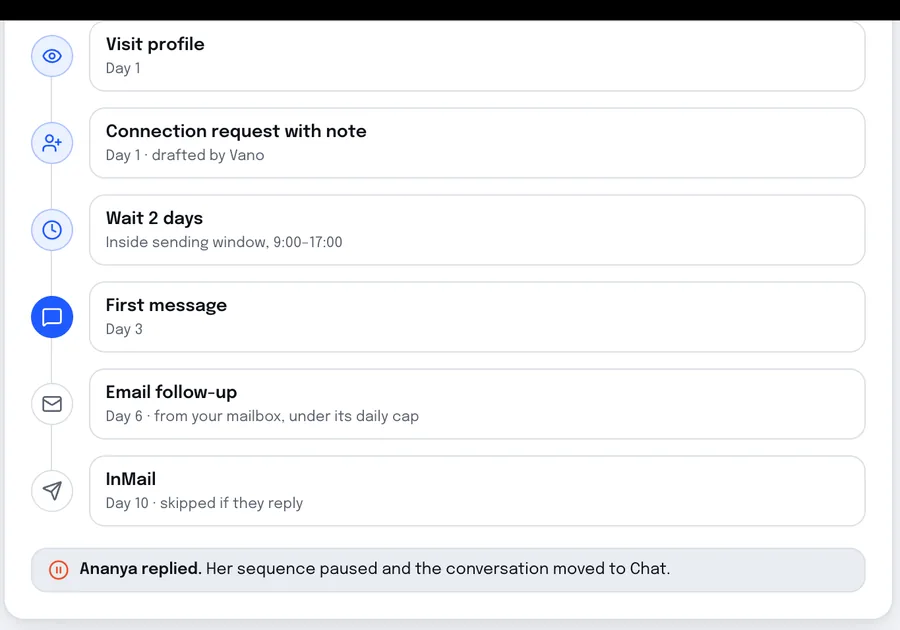
A shared inbox where nothing goes out until a person approves it: the same control a practice needs on client communication.
The business problem
The ledger work is automated. The client work isn’t.
Cloud accounting software has automated much of the bookkeeping itself. What it hasn’t automated is the relationship around it: getting a new client signed and set up, getting their records in on time every month or quarter, and keeping dozens of filing dates for hundreds of entities straight.
That work falls on managers and juniors as email, phone calls and spreadsheets. It peaks exactly when the practice is busiest, it is hard to hand over when someone leaves, and it hides which clients consume far more time than their fee covers.
A practice system built around the client lifecycle, from proposal to recurring work, takes that weight off people and gives partners a view of the practice they currently assemble by hand.
-
Lever 01
Records in on time
Automated, personalised requests and reminders through a portal, so work starts when it should.
Moves: Work completed before deadline
-
Lever 02
Capacity you can see
Workload and time against fee per client, so fee and staffing decisions are based on fact.
Moves: Revenue per staff member
-
Lever 03
Faster onboarding
Proposal, engagement letter, ID checks and setup run as one flow instead of a week of emails.
Moves: Time from proposal to first fee
How accounting practices work
The workflows we build around.
-
01
Recurring obligations per entity
Year-end, tax returns, payroll and periodic filings differ by client and entity, so deadlines are generated from each client’s profile, not typed into a calendar.
-
02
Paperwork from people who are busy
Clients send statements, receipts and forms late and in pieces. Requests have to be specific, easy to answer from a phone and chased automatically.
-
03
Ledger software stays
Xero, QuickBooks and your tax software remain the system of record for the numbers; we connect to them for client and status data.
-
04
Seasonal peaks
Workload concentrates around filing dates, so the system has to show what is outstanding and who is overloaded weeks in advance.
What we build
A practice system around the client lifecycle.
-
Proposals and engagement letters
Services selected, letters generated and e-signed, and the client record created in one step.
-
Client portal
A secure place for clients to upload records, answer questions, approve returns and see what is outstanding.
-
Document requests and reminders
Specific requests per client and period, with reminders that escalate politely until everything is in.
-
Deadline engine
Recurring jobs and filing dates generated from each client’s profile, assigned and tracked to completion.
-
Capacity and profitability
Workload by person, overdue jobs and time against fee per client, without a monthly spreadsheet.
-
Ledger and tax tool connections
Client and status data synced with your accounting and tax software, so nothing is typed twice.
How it works
One client, one cycle, no chasing by hand.
-
01
Signed and set up
Proposal accepted, engagement letter signed and recurring jobs created from the services chosen.
-
02
Records requested
Ahead of each period, the client gets a specific checklist in the portal, with reminders until it is complete.
-
03
Work assigned
Complete records release the job to the right person, with the deadline and priority visible.
-
04
Approved and filed
The client approves in the portal, the job is closed and the next period is already scheduled.
Build, buy or connect
Practice software, a custom build, or both.
Many firms are best served by a mix. This is how we weigh it.
-
A practice management platform
Best when: your workflow fits its structure
TaxDome, Karbon and Canopy cover jobs, portals and billing for a standard practice, quickly and at a per-user price.
-
Connect what you have
Best when: the platform works but leaves gaps
Onboarding, document chasing or reporting built around the software you keep, sharing its data.
-
A custom CRM and portal
Best when: your services and client experience set you apart
A system shaped around your service lines, deadlines and clients, owned by the firm and connected to your ledger tools.
Who it is for
For practices that have outgrown email and spreadsheets.
A good fit when
- You manage recurring work for a few hundred clients or entities.
- Chasing records takes a noticeable share of staff time each month.
- Your practice management tool doesn’t fit how your firm works.
- Partners want a live view of workload, deadlines and client profitability.
Probably not when
- An off-the-shelf practice management platform already works well for you.
- You are a sole practitioner with a small, stable client list.
- You need a supplier with a specific professional accreditation.
-
Founder-led B2B service firms
Founders of B2B service businesses whose sales and delivery have outgrown the founder’s inbox.
Measured on: Pipeline, win rate and revenue per employee
What changes: A pipeline that answers, qualifies and follows up on its own, and a business that can grow without adding headcount at the same rate.
-
Ops, sales & growth leaders
Heads of operations, sales or marketing inside mid-size companies, with a mandate and no spare engineering team.
Measured on: Cost to serve, cycle time and cost per acquisition
What changes: The system your team needs, delivered alongside IT rather than queued behind it, with security and ownership handled properly.
Project process
Discovery, build, launch, then better.
Phases, not promises. Each step is decided on what the previous one showed.
-
01
Weeks 1–2
Services and deadlines mapped
Every service line, its recurring jobs and the documents each needs, written down with your team.
-
02
Weeks 3–8
Onboarding and requests
Proposals, engagement letters and document requests live for new clients first.
-
03
Weeks 8–14
Portal and deadline engine
Existing clients moved over before the next peak, with deadlines generated automatically.
-
04
Ongoing
Capacity reporting
Workload and profitability views added as the data builds up.
Works with
- Xero
- QuickBooks
- Sage
- Microsoft 365
- Google Workspace
- DocuSign
- Dropbox Sign
- GoCardless
- Stripe
- SharePoint
Cost and engagement
What decides the cost.
Every engagement starts with a short, fixed scoping sprint that ends in a written scope, so you know what the first build takes before you commit to it.
- The number of service lines and the recurring jobs behind each.
- Whether clients get a portal, and what they can do in it.
- Connections to your ledger, tax and e-signature software.
- Migrating client and deadline data from your current tools.
- The depth of capacity and profitability reporting you want.
-
01
Scoping sprint
A short, fixed piece of work to map one workflow and decide what is worth building.
-
02
Build
The first workflow designed, built and released, then extended in small, scoped steps.
-
03
Run & improve
An ongoing engagement to keep the system running, measured and getting better.
Questions
Questions from accounting firms.
We already use practice management software. Why build?
Can the portal replace emailed documents?
Do you connect to Xero or QuickBooks?
How do you handle client financial data?
Can we launch before the busy season?
Should we build a custom CRM or use TaxDome, Karbon or Canopy?
Start a project
Talk to us about your practice.
Tell us how many clients you serve, which software you run on and where the chasing happens. A partner replies within one business day.
Get the records in on time, every period.
A short scoping sprint, a written scope, and a plain answer on whether building is worth it.
Or write to us at [email protected]